Start with a setup you can use tomorrow morning. A scale that saves your weight. A tracker that counts your steps. One place to plan your training, log your food, and see what is changing.
My recommended trio is Withings Body Smart, Polar Loop, and abeshafit.com. Together, they remove some of the daily admin from the Fit Loop so you can spend more energy doing it. The results come from the lifting, eating, walking, and recovery you repeat. These three tools help you keep track and make your next decision.
Your scale: Withings Body Smart
Put the black Body Smart somewhere convenient on a hard, level surface. Set it up with Wi-Fi in the Withings app, then confirm a weigh-in appears in your own profile. Withings recommends Wi-Fi for easy synchronization. (1)

In Settings → Connected devices, select Connect Withings, sign in to the same Withings account, and approve measurement access. AbeshaFit imports weight; it does not import every body-composition number the scale can display. Check that your first reading arrives before relying on the automatic routine.
Then make it simple: wake up, use the bathroom, step on the scale before breakfast, and carry on with your morning. Once your connection is working, new weigh-ins uploaded to Withings can sync into Track without retyping them. Uploads and imports can take time. If setup is pending or a reading is missing, check the connection status and use manual logging while you resolve it. Follow the scale connection guide.
Your step tracker: Polar Loop
Polar Loop is our recommended screen-free fitness band for daily steps. Charge it and pair it inside the Polar Flow app on your compatible phone, then check that your steps appear in Flow. Pairing happens in Flow, rather than in your phone's Bluetooth settings. (2)
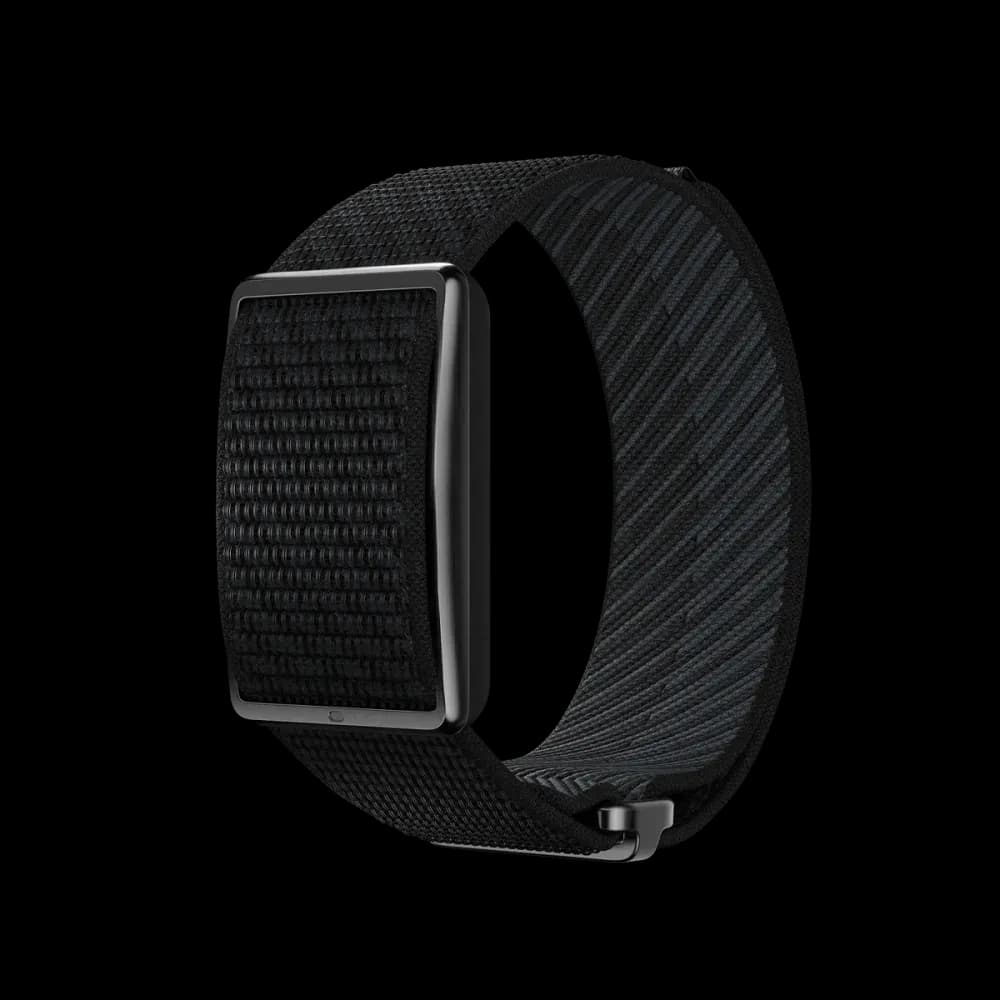
Open Move, select Connect Polar, review the disclosure, and choose Continue to Polar. Sign in to the same account you use in Polar Flow and approve access. AbeshaFit imports daily step totals, with up to 60 days available on the first sync. Polar grants broader read access, but we do not import its heart-rate, sleep, or workout records. See the Polar connection guide.
If Fitbit is already connected, add Polar in Settings → Connected devices. Fitbit stays your primary source until you change it. In Settings → Connected devices, select Change primary source, then Use Polar to show Polar steps in Today, Move, and your step history. The app uses one source at a time and does not add the two totals together.
Your daily home: abeshafit.com
Create your account, complete guided setup, and open Today. This is your hub: your next workout, your progress, and the five parts of the cycle. Come back here to decide what to do next.
The scale supports Track. Polar Loop supports Move. AbeshaFit ties those habits to Lift, Fuel, and Fast. Your phone handles meal logging and progress photos. You still need food, a workable training setup, and time to move, but you can stop building a separate tracking system for every habit.
Here is your first lap of the Fit Loop, in the order you see it in the app.
01 Lift: build strength
Put your first two training days in the calendar. In Lift, the Extremely Busy plan gives you a two-day starting point. Follow the exercises, learn the movements, and record the weights and reps you actually complete. Leave room to recover between sessions. A tracker cannot do those sets for you, and the plan's exercises still need the appropriate gym or home equipment.
Your first win is a completed session you can build on. Next time, use the log to guide your effort. As your strength and technique improve, progress gradually. Learn how to log a workout.
02 Fuel: eat for it
Log your next meal in Fuel with a photo, voice, or text. Check the food, portions, and calorie estimate before saving. Include drinks and snacks so the day tells a useful story. Build meals around foods you enjoy, with a source of protein and some fruit or vegetables.
If fat loss is your goal, use your daily calorie target as a starting estimate and review it against your progress over time. The food choices and portions matter; logging makes them easier to see. You do not need a perfect menu to start. Try one repeatable breakfast or lunch this week. See the food logging guide.
03 Fast: reset
Fast shows the time since your last logged intake. Keep meal and drink times accurate and let the app build the timeline. It is a way to understand your eating routine, not an instruction to keep going until you hit a bigger number.
Fasting is optional. You can use your Fit Loop with regular meals and no fasting target. For this first week, simply record your routine; there is no need to skip meals or attempt an extended fast. Understand the automatic timer.
04 Move: stay active
Wear your Polar Loop and make walking part of something you already do: a short walk after lunch, a walking phone call, or a few minutes outside between tasks. Look at your current step count, then add an amount you can comfortably repeat.
Move displays a 10,000-step goal. Treat it as a reference to build toward, not a pass-or-fail line for your first day. Connect Polar to review imported steps and Last synced in Move. If a total looks old, sync Loop with Polar Flow first, then use Sync Polar in AbeshaFit. Follow the Polar connection guide.
05 Track: see it
Let the morning weigh-in become one small routine. Use similar conditions each time and look at the trend across several weeks rather than reacting to one reading. If daily weighing is not helpful for you, choose a less frequent schedule you can maintain.
Take your first photo set now in Track → Photos, then set a reminder for every two to four weeks. Use the same light, camera distance, clothing, and relaxed pose. Capture front, side, and back views using the app's guides. You choose and save the photos; the scale and tracker do not take them for you.
Once you have front photos from two dates, select Compare to view them side by side or with the slider. Review photos, weight trends, and your workout log together. They give you different views of progress. See the progress photo guide.
Make your first week easy to repeat
- Today: finish setup, verify the available connections, save your starting photos, and schedule two training sessions.
- Each morning: take a weigh-in under similar conditions. Let the connected scale save it, or log it manually.
- During the day: wear Polar Loop, take a manageable walk, and log what you eat. Train on your planned days and recover between them.
- At the end of the week: check Today and your logs. Notice which habits were easy and where you got stuck. Choose one small improvement for next week.
- Every two to four weeks: repeat your photos and review the broader trend. Give your routine time before judging it by appearance or a single weigh-in.
You can get the routine moving today. Visible change takes longer and varies from person to person. Start with the next useful action: save a baseline, take the walk, log the meal, or finish the session. Then come back tomorrow. That is how your Fit Loop becomes your routine.